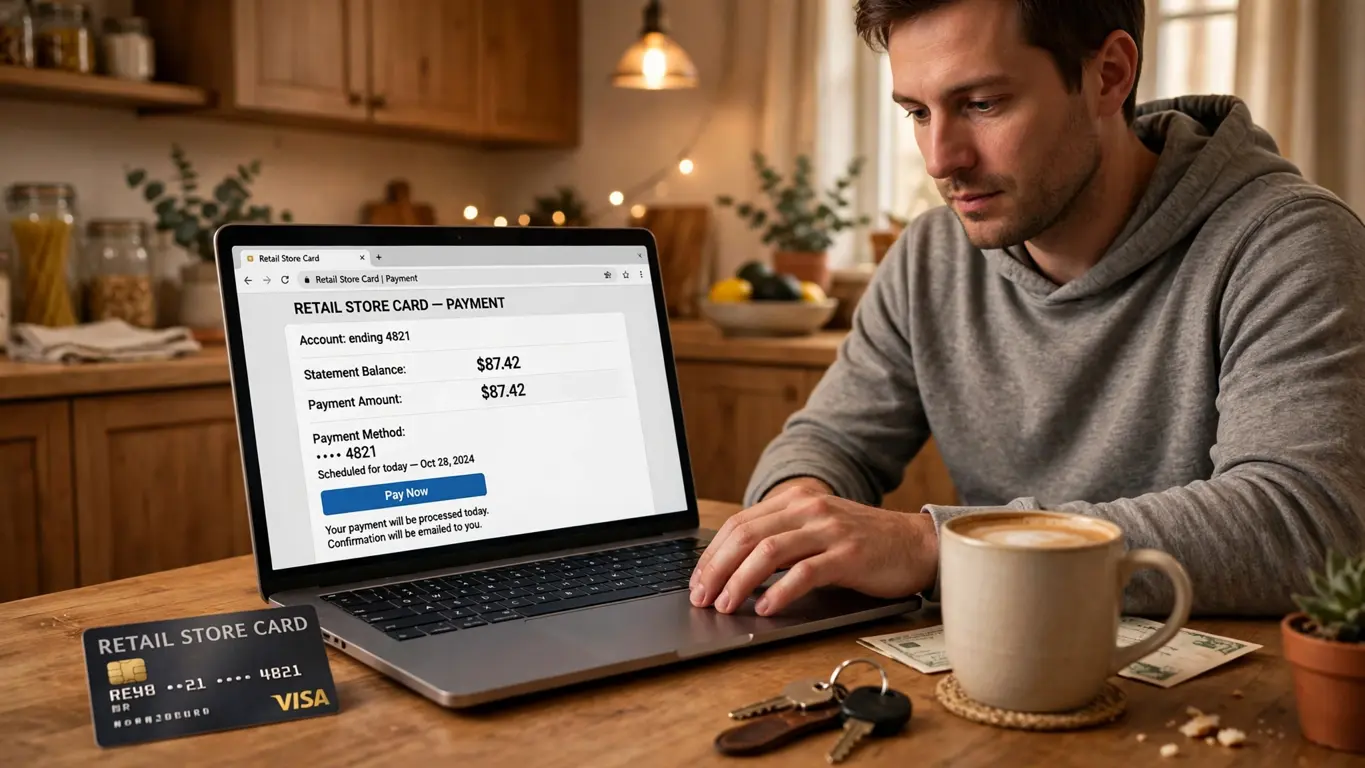
The short answer: the fastest way to pay Kohl’s credit card is to sign in to your Kohl’s credit card account online or in the mobile app, choose “Pay My Bill” or “Make a Payment,” pick your amount and payment date, and confirm. A payment from a linked checking or savings account is the usual route, and online payments generally post faster than a mailed check. If you have never paid online before, allow a few extra minutes the first time to link your bank account. After that, a regular payment takes only a couple of minutes.
If you are staring at a due date and wondering whether you can get this done tonight, the honest answer is yes, in most cases. Online and app payments are designed for exactly this situation. The rest of this guide walks through each method in detail, explains the choices you will see on the payment screen, and covers the small mistakes that cause the most headaches, so you can pay with confidence and move on.
IN THIS GUIDE
- The short answer: the fastest way to pay
- What you need before you pay
- How to pay Kohl’s credit card online, step by step
- How to pay through the mobile app
- How to set up AutoPay
- Other ways to pay: phone, mail, and in store
- How much should you pay: minimum, statement balance, or full balance
- Payment timing: when your payment actually posts
- Common problems and how to fix them
- Smart habits that keep your account in good standing
- Frequently asked questions
- Conclusion
What You Need Before You Pay
Before you start, gather three things. First, your Kohl’s credit card itself, or at least the account number, because you will need it to sign in or to set up an online account for the first time. Second, your online username and password, if you already have an account. If you do not, you can usually register with your card number and some personal details used to verify your identity. Third, the bank account you want to pay from, including its routing number and account number, which you can find on a check or in your own bank’s app or website.
It also helps to know three numbers from your statement before you choose an amount: the minimum payment due, the statement balance, and the current balance. These are not the same thing, and the difference matters. The minimum is the smallest amount that keeps your account current for that billing cycle. The statement balance is what you owed when that statement closed. The current balance includes anything charged since then. We explain each option in detail later in this guide, because picking the right one is one of the best things you can do for your finances.
Practical tip: if you are setting up online access for the first time, do it on a device you trust, on a private internet connection rather than public Wi-Fi, and save your login in a password manager instead of on a sticky note. A few careful minutes now saves a password reset later.
How to Pay Kohl’s Credit Card Online, Step by Step
Paying online is the method most cardholders use, and it is the one worth learning first. The Kohl’s credit card is serviced through Capital One’s cardholder platform, so the payment screens carry Capital One branding even though the card itself says Kohl’s. That surprises some people the first time they see it, but it is normal.
Here is the process, step by step.
Step 1: Go to the Official Cardholder Site
Open your browser and go to the official Kohl’s credit card login page. The safest way to get there is to start from the Kohl’s website itself and follow its credit card or “My Kohl’s Charge” links, or to type the cardholder address shown on your statement. Check that the address in your browser starts with “https” and shows a padlock symbol before you type any login details. This is worth doing every time, because lookalike login pages are one of the oldest tricks used to steal card details.
Step 2: Sign In to Your Account
Enter your username and password. If you have forgotten either one, use the “Forgot Username” or “Forgot Password” links on the login page rather than creating a second account. Creating a duplicate account is a common source of confusion later, when payments seem to vanish into an account you did not mean to use.
If you do not have an online account yet, look for a “Set Up My Account” or “Enroll” option. You will typically be asked for your card number and some identifying information to confirm you are the cardholder. Follow the prompts, choose a strong password, and answer the security questions carefully, because you will need them if you ever get locked out.
Step 3: Find the Payment Section
Once you are signed in, look for a section labelled “Pay My Bill,” “Make a Payment,” or “Payments” on your account dashboard. The exact wording varies slightly as the site is updated, but the payment option is always prominent, because it is the most-used feature on the whole site. Click it, and you will see your current amount due and your due date.
Step 4: Choose How Much to Pay
Most payment screens offer you a choice: the minimum payment due, the last statement balance, the current balance, or a custom amount you type in yourself. Think about this choice for a moment rather than clicking the first option. Paying only the minimum keeps your account current, but the remaining balance keeps carrying interest, which means you pay more over time. Paying the full statement balance, or the full current balance, is the cleanest way to avoid interest on new purchases in many cases, though the exact interest rules depend on your card agreement, so read that document if you are unsure.
A custom amount is useful in the middle ground: more than the minimum, but less than the full balance, when money is tight that month. There is no shame in that. Paying something above the minimum still reduces what you owe and shortens the time it takes to clear the balance.
Step 5: Choose Your Payment Account and Date
Next, choose the bank account the payment will come from. If you have paid online before, your saved checking or savings account should already be listed. If this is your first online payment, you will need to add one: enter the bank’s routing number and your account number, confirm the account type, and agree to the authorisation statement shown on the screen. Double-check every digit. A single wrong digit can send the payment to the wrong place or cause it to fail, and a failed payment close to a due date is exactly the stress you are trying to avoid.
You can also usually choose the payment date. Paying today is fine, but scheduling a future date is handy if payday falls a few days before the due date. Just make sure the scheduled date is on or before the due date, not after it.
Step 6: Review and Confirm
Before you submit, read the review screen carefully: the amount, the date, and the bank account. This is your last chance to catch a typo. When everything looks right, confirm the payment. You should see a confirmation message on screen, and in most cases you will also get a confirmation by email. Save that confirmation, or at least note the confirmation details, until you see the payment reflected in your account. It is your proof if anything goes wrong.
Practical tip: after your first online payment, log back in a day or two later and check that the payment shows as posted and that your available credit has updated. This one check builds trust in the system and catches rare processing hiccups early.
How to Pay Through the Mobile App
If you prefer doing things on your phone, the mobile app route works the same way. Sign in with the same username and password you use on the website, select your Kohl’s card from your accounts, and tap the payment option. From there the steps mirror the website: pick an amount, pick a payment account, pick a date, review, and confirm.
The app has one genuine advantage over the website: it is always with you. That makes it easier to pay the moment you remember, rather than putting it off until you are at a computer. It also makes it easy to check your balance and due date while you are standing in a store deciding whether to make a purchase. The downside is the same as any phone task: it is easier to rush. Slow down on the review screen, especially the amount and the date, because a hurried tap is how most app payment mistakes happen.
If you use the app, turn on its notifications if it offers them. A due-date reminder or a payment-confirmation alert is a simple safety net, and it costs you nothing.
How to Set Up AutoPay
AutoPay is the single best tool for anyone who has ever missed a due date. Once it is set up, your payment is made automatically on the same schedule each month, without you having to remember anything. You can usually choose what AutoPay pays: the minimum payment due, the statement balance, or the full balance. Each choice has a different effect, so pick deliberately.
AutoPay for the minimum payment due is the safety-net option. It guarantees you never miss a payment, which protects your account standing, but it does not clear your balance quickly. AutoPay for the statement balance or full balance is the stronger choice if your bank balance can handle it, because it keeps interest down and steadily clears what you owe.
Two warnings matter here. First, AutoPay is not a reason to stop looking at your statements. Check them anyway, because charges you do not recognise and changes to your balance still need your attention. Second, make sure the bank account linked to AutoPay always has enough money in it on the payment date. An automatic payment that bounces because the account is short can create fees and a missed-payment problem at the same time, which is worse than no AutoPay at all.
Practical tip: if you are nervous about AutoPay taking the full balance, start with AutoPay for the minimum as your safety net, and then make extra manual payments whenever you have spare money. You get the protection without the surprise.
Other Ways to Pay: Phone, Mail, and In Store
Online is not the only way to pay Kohl’s credit card, and the alternatives are worth knowing for the times when you cannot get online.
Paying by Phone
You can pay by phone using the customer service number printed on the back of your card or on your statement. Automated phone systems usually walk you through entering your card details and your bank account information, and they can take a payment from a checking or savings account. Keep your card and bank details in front of you before you call, and note the confirmation number at the end of the call. Phone payments can be a good fallback when you are travelling or when the website is down, but check whether any fee applies to phone-assisted payments, because the rules for automated and agent-assisted payments sometimes differ.
Paying by Mail
To pay by mail, send a check or money order, never cash, to the payment address printed on your statement, and write your credit card account number on the check. Mail your payment early enough that it arrives by the due date, because a mailed payment only counts when it is received and processed, not when you drop it in the mailbox. A good rule is to mail it at least a week before the due date, more if a holiday falls in between. Keep a copy or a photo of the check for your records, and watch your account to confirm it posts.
Paying in Store
You can also make a payment at a Kohl’s store, typically at the customer service desk or at a register. This is a useful option if you are already shopping there and want the payment handled on the spot. Bring your card or your account details, and keep the receipt until the payment shows up in your online account. In-store payments feel immediate, but they still need to be processed, so confirm the posting just as you would with any other method.
Payment Methods Compared
Every method gets the job done, but they differ in speed, convenience, and risk. The table below sums up the trade-offs so you can pick the right one for your situation.
| Payment method | Speed | Convenience | Watch out for |
|---|---|---|---|
| Online through the website | Fast, often same-day if submitted before the cutoff | High, available any time | Typos in the bank account details |
| Mobile app | Fast, similar to online | Highest, pay from anywhere | Rushing the review screen |
| AutoPay | Automatic, on schedule | Highest after setup | Low bank balance on the payment date |
| Phone | Usually fast | Good fallback without internet | Possible fee for agent-assisted payments |
| Slowest, days in transit | Low, but no internet needed | Late arrival if mailed too close to the due date | |
| In store | Handled on the spot | Good if you are already shopping | Still confirm the payment posts |
The short answer here is simple: use online or app payments for everyday bills, AutoPay as your safety net, and the other methods as backups. That combination covers almost every situation.
How Much Should You Pay: Minimum, Statement Balance, or Full Balance
This is the question that causes the most confusion, so it deserves a straight answer. The minimum payment due is the smallest amount that keeps your account in good standing for that cycle. Paying it avoids a late-payment mark, but interest continues to build on the unpaid balance, so the debt shrinks slowly. The statement balance is the total you owed when your statement closed. Paying it in full by the due date is, for many cardholders, the way to avoid interest on purchases in that cycle, though you should confirm the exact rule in your card agreement. The current balance is everything you owe right now, including purchases made since the statement closed. Paying it leaves you at zero, which is the cleanest position of all.
Practical tip: if you cannot pay in full this month, pay as much above the minimum as you honestly can, and make a plan to pay more next month. Even a modest extra amount each month shortens the payoff time noticeably, because less of each future payment goes to interest and more goes to the balance itself.
There is one more habit worth building: paying more than once a month. Nothing stops you from making a payment when money comes in, rather than waiting for the due date. Smaller, more frequent payments can make a large balance feel manageable, and they reduce the chance of a single due date catching you short.
Payment Timing: When Your Payment Actually Posts
A payment is not finished the moment you click confirm. It has to be processed, and processing takes time. Online payments submitted before the day’s cutoff time on a business day are often processed the same day, while payments submitted after the cutoff, or on a weekend or holiday, may post on the next business day. The exact cutoff time is shown in your account or card agreement, so check it rather than guessing, especially if you are paying close to a due date.
This is why paying early is the best habit of all. Paying a few days before the due date removes the cutoff question entirely. If you do find yourself paying on the due date itself, pay online or through the app rather than by mail, and pay as early in the day as you can. Then check the next day that the payment has posted.
One more timing trap: scheduling a future payment and then forgetting about it. A scheduled payment is only useful if the money is in your bank account on that date. If your payday shifts, or an unexpected bill lands, revisit the scheduled payment before its date, not after it fails.
Common Problems and How to Fix Them
Even a simple process goes wrong sometimes. Here are the problems cardholders run into most, and the fix for each.
“I Can’t Sign In”
First, check that you are on the genuine cardholder site and that caps lock is off. Then use the password reset link rather than guessing repeatedly, because too many failed attempts can lock the account temporarily. If the reset email does not arrive, check your spam folder and confirm which email address is on file. If you are still stuck, call the number on the back of your card for help resetting access.
“My Bank Account Won’t Link”
Double-check the routing number and account number, digit by digit, against your bank’s own app or a check. A common mistake is using a debit card number instead of the bank account number, or mixing up the routing number with something else on the check. If the details are right and it still fails, confirm with your bank that the account is open and able to accept electronic debits.
“My Payment Hasn’t Posted Yet”
Wait one full business day and check again, because processing takes time, especially around weekends and holidays. If it still has not posted after that, check your bank account: if the money has left your bank, the payment is in transit, and a call to customer service with your confirmation details will sort it out. If the money has not left your bank, the payment may have failed, and you should submit it again before the due date.
“I Paid the Wrong Amount”
If you paid too little, simply make a second payment for the difference before the due date. If you paid too much, the extra amount usually sits as a credit on your account and reduces your next bill, but if you need it back, contact customer service. Either way, do not panic: a wrong amount is fixable, and acting quickly keeps it a small problem.
“I Missed My Due Date”
Pay as soon as you realise, even if it is late, because a payment made a day late is still far better than one left unpaid for a billing cycle. Then set up AutoPay for at least the minimum, so it cannot happen again, and set a calendar reminder a few days before each future due date as a backup. If a late fee appears, you can ask customer service about it, particularly if it is your first missed payment, though any decision is theirs to make.
Smart Habits That Keep Your Account in Good Standing
Paying the bill is the core task, but a few surrounding habits make the whole thing easier. First, read your statement every month, even if you pay by AutoPay. Look for charges you do not recognise, check the interest and fees section, and confirm your payment from last month posted. Second, keep your contact details up to date, because due-date reminders and security alerts are useless if they go to an old email address or phone number. Third, keep your credit use in proportion to your income: a store card is a convenience, not extra income, and the easiest way to stay comfortable is to only charge what you can pay off in a reasonable time.
Fourth, use the card’s rewards thoughtfully. Store cards often come with discounts and rewards on store purchases, and those benefits are real, but they only help if the balance is paid down. A discount earned while interest builds on an unpaid balance is usually a bad trade. Fifth, keep a simple record: the date, amount, and confirmation details of each payment. A notes app entry takes ten seconds and ends arguments with yourself about whether you paid last month.
Frequently Asked Questions
Can I pay Kohl’s credit card with another credit card?
In general, credit card payments are made from a bank account, such as a checking or savings account, or by debit, rather than from another credit card. The payment screens in your Kohl’s card account will show you the accepted payment sources. If you are considering a balance transfer to another card, that is a separate process with its own terms, and it is worth reading those terms carefully before you start.
Can I pay Kohl’s credit card without an online account?
Yes. You can pay by phone using the number on the back of your card, by mail to the address on your statement, or in store. Setting up an online account is not required, though it makes future payments faster and lets you check your balance and due date at any time.
How long does an online payment take to post?
Online payments submitted before the day’s cutoff on a business day are often processed the same day, while payments made after the cutoff or on weekends and holidays usually post on the next business day. Check your account for the exact cutoff, and confirm the posting a day or two after you pay.
What happens if my payment is late?
A late payment can lead to a late fee and interest continuing to build on the balance, and a payment that remains unpaid for longer can affect your account standing. If you realise you are late, pay as soon as possible, then set up AutoPay for at least the minimum to prevent a repeat.
Is it safe to pay Kohl’s credit card online?
Paying through the official cardholder site or app, on a trusted device and a private connection, is the standard and safe way to pay. Check for “https” in the address, never share your password or full card details by email or text, and be suspicious of any message that urges you to pay through an unfamiliar link. When in doubt, go to the site yourself rather than clicking a link in a message.
Can I schedule a payment for a future date?
Yes, in most cases you can choose a future payment date when you make an online or app payment, and AutoPay can be set to pay automatically each month. Just make sure the money will be in your bank account on that date, and that the date is on or before your due date.
Conclusion
To pay Kohl’s credit card, sign in to your cardholder account online or in the app, choose your amount and date, review carefully, and confirm. Set up AutoPay for at least the minimum as a safety net, pay more than the minimum whenever you can, and pay a few days before the due date so timing never becomes a problem. Keep the other methods, phone, mail, and in store, in mind as backups for the days when online payment is not possible.
Good bill-paying habits are unglamorous, but they pay off quietly every month: no late fees, no panicked last-minute payments, and a balance that moves in the right direction. The whole process takes a few minutes once you have done it once, and after that it becomes just another small task you handle without thinking about it.
Read Also: Men’s On Cloudstratus 3 (2026 Guide)
For more everyday money guides, see the team at 9bio and the lifestyle coverage at DailyOrvix.