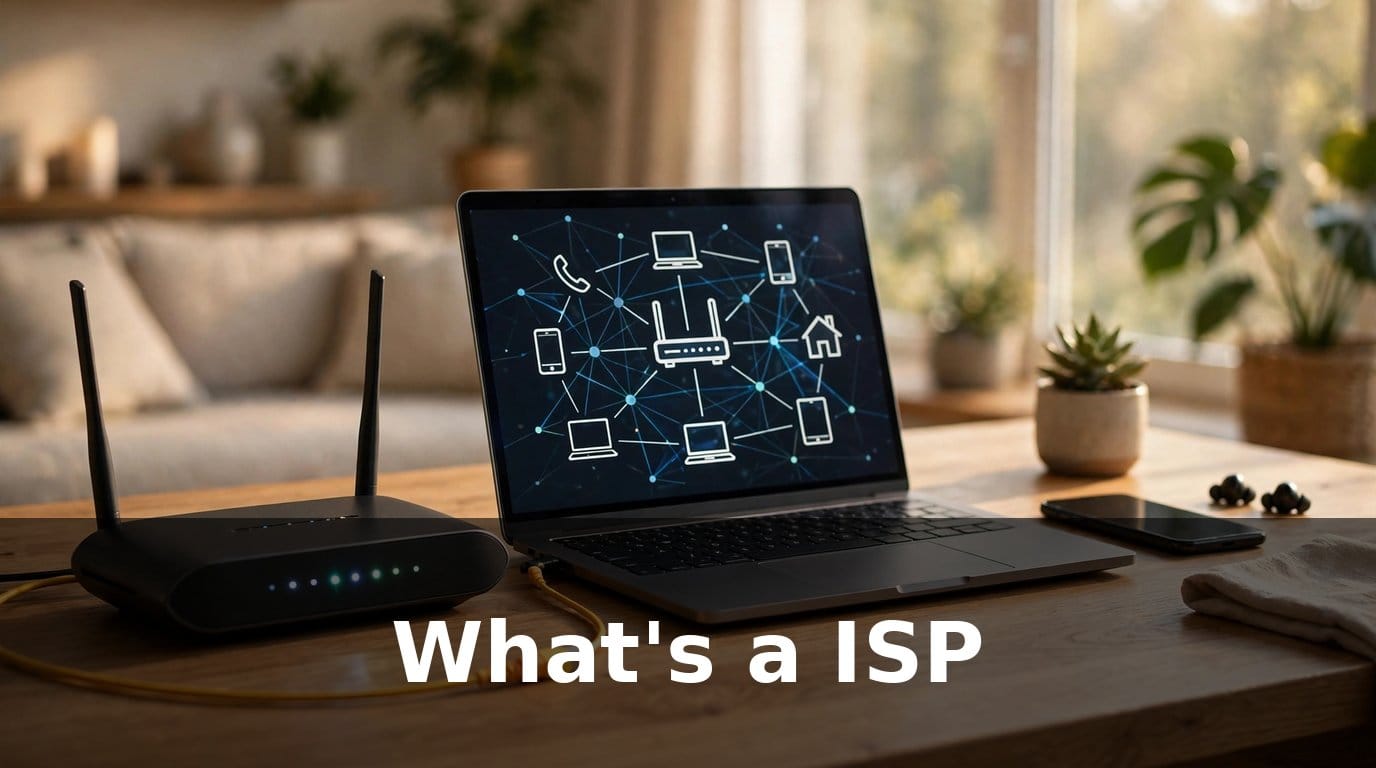
If you have ever set up internet at home, signed a broadband contract, or called someone because the Wi-Fi stopped working, you have dealt with an ISP — even if nobody ever explained what those three letters actually mean. Most people just want the internet to work. They plug in a router, type in a password, and get on with their day. But when it comes time to move house, switch providers, or figure out why the connection keeps dropping during a video call, knowing what an ISP is suddenly becomes very useful. So, what’s a ISP?
The short answer: an ISP, or internet service provider, is the company that connects your home to the internet. You pay them a monthly fee, and in return they give you access to the worldwide network — the websites, apps, streaming services, and everything else you use online. Without an ISP, your devices would have no way to reach the internet at all.
This guide explains the idea in plain language. You will learn what an ISP does behind the scenes, how your connection actually gets from a cable in the street to the phone in your hand, the main types of internet service you can buy, and what to look for when you are choosing between providers. No technical background needed.
What Does ISP Stand For?
ISP stands for internet service provider. The name says most of what you need to know: it is a business that provides a service, and that service is access to the internet.
Your ISP owns or rents the network infrastructure that carries data between your home and the rest of the world. That infrastructure might be fibre-optic cables buried under the street, copper telephone lines, coaxial cables originally laid for television, radio signals from a mobile mast, or a satellite orbiting above the earth. The details change with the type of connection, but the job is the same in every case: your ISP moves data back and forth between your home and the internet.
When you type a web address into your browser or tap a video in an app, your request travels from your device to your router, then to your ISP’s network, then across the wider internet to the server that holds what you asked for. The answer comes back along the same route. All of that happens in a fraction of a second, and your ISP is the company running the first and most important leg of the journey.
Practical tip: if you are ever asked for your ISP’s name — for example, by a support agent or when checking whether a service is available at your address — it is simply the name of the company you pay for your internet. It will be on your bill, and it is usually the same name printed on your router or on the box your equipment arrived in.
How Does an ISP Work?
Understanding how an ISP works does not require a degree in networking. Think of it like the postal service. Your home has an address, letters leave through your local post office, and the postal network carries them to their destination and brings replies back. An ISP works in a similar way, except the “letters” are tiny packets of data, and the whole round trip takes milliseconds.
From the Street to Your Living Room
Your home connects to your ISP through a physical line or a wireless signal. In most homes, a cable comes into the house from the street and plugs into a small box called a modem or an ONT (the box used for fibre connections). That box translates the signal coming down the line into something your home network can use.
From there, a router takes over. The router creates your home Wi-Fi network — the one with the name and password you set — and shares the connection between all your devices: phones, laptops, tablets, smart TVs, and anything else that needs to be online. Many ISPs now supply a single combined unit that does both jobs, modem and router in one box, which is why most people only ever see one device with blinking lights.
What Happens When You Go Online
Every time you use the internet, a chain of events runs in the background:
1. Your device sends a request to your router over Wi-Fi or an ethernet cable. 2. The router passes the request to your ISP. 3. Your ISP routes it across its network and out onto the wider internet. 4. The destination server responds, and the data travels back the same way. 5. Your router delivers the data to the right device.
Your ISP also gives your home an IP address — a unique number that identifies your connection on the internet, much like a postal address identifies your house. Most home connections use a dynamic IP address, which means it can change from time to time. You never need to remember it, but it is how the rest of the internet knows where to send your data.
Why Your ISP Matters More Than Your Router
People often blame their router when the internet feels slow, and sometimes the router is the problem. But the speed and reliability of your connection are mostly decided by your ISP and the type of connection they provide. A top-of-the-range router cannot make a slow line fast, just as a good letterbox cannot make the post arrive sooner. The router’s job is to share the connection you already have; the ISP’s job is to provide it.
The Main Types of ISP Connection
Not all internet connections are the same. The type available at your address depends on where you live and what infrastructure has been built in your area. Here are the main types you are likely to come across, from the fastest to the slowest in general terms.
Fibre Broadband
Fibre broadband sends data as pulses of light through thin strands of glass, and it is the fastest widely available type of home internet. There are two common versions. Full fibre, sometimes called fibre to the premises, runs a fibre cable all the way into your home. Fibre to the cabinet runs fibre to a street cabinet and uses an older copper line for the final stretch to your house.
Full fibre is the best option for most households that can get it: it handles streaming, video calls, gaming, and large downloads at the same time without breaking a sweat, and its upload speeds are usually much closer to its download speeds than other types. The main drawback is availability — full fibre is still being rolled out in many areas, so it may not have reached your street yet.
Cable Broadband
Cable broadband uses the same kind of coaxial cable that once delivered cable television. It is widely available in towns and cities and is generally fast, comfortably handling streaming and everyday use for a whole household.
Cable speeds can dip at busy times of day, because the cable in your street is shared between the homes connected to it. In practice, most people never notice this. Cable is a solid middle-ground choice: faster than older technologies, available in many areas, and usually priced competitively.
DSL Broadband
DSL runs over ordinary copper telephone lines. It was the standard way to get online for many years, and it is still the only wired option in some rural areas. The best-known versions are ADSL and VDSL, with VDSL being the faster of the two.
DSL is the slowest of the main wired types, and its speed depends heavily on how far your home is from the nearest telephone exchange or street cabinet — the further away you are, the slower it gets. For light use such as email, browsing, and a single video stream, it can still be enough. For a busy household with several people streaming at once, it often struggles.
Satellite Internet
Satellite internet beams data between a dish on your home and a satellite in orbit. Its biggest advantage is coverage: it works almost anywhere with a clear view of the sky, including remote areas where no cable or fibre exists.
The trade-off is delay. Because the signal has to travel up to space and back, satellite connections have higher latency — a noticeable lag that can make video calls and online gaming frustrating. Weather can also interfere with the signal. For most people, satellite is a last resort, but for a home beyond the reach of wired networks, it can be the difference between being online and not being online at all.
Mobile and 5G Broadband
Mobile broadband uses the same networks as your phone. A 5G home broadband service works through a small router that picks up a mobile signal and turns it into Wi-Fi for your home. It needs no cable into the house, so it can be set up in minutes.
Where the mobile signal is strong, 5G home broadband can be genuinely fast and is a real alternative to a wired connection, especially for renters or anyone who moves often. Where the signal is weak or the local mast is congested, speeds can vary a lot. It is worth checking the signal strength at your address before committing.
Fixed Wireless
Fixed wireless is a smaller category, but it matters in rural areas. A provider mounts an antenna on a nearby mast or tower and beams a signal to a small receiver on your home. It works over shorter distances than satellite, so the delay is much lower, and it can be a good option where wired broadband is slow or absent.
ISP Types at a Glance
| Type | How it connects | Best for | Main drawback |
|---|---|---|---|
| Full fibre | Fibre cable to your home | Busy households, streaming, gaming, working from home | Not available everywhere yet |
| Cable | Coaxial cable | Most homes in towns and cities | Speeds can dip at peak times |
| DSL | Copper telephone line | Light use, areas without fibre or cable | Slowest wired option, speed drops with distance |
| Satellite | Dish to a satellite | Remote homes with no other option | Noticeable lag, weather can affect it |
| Mobile / 5G | Mobile network signal | Renters, quick setup, strong-signal areas | Speed varies with signal and congestion |
| Fixed wireless | Radio signal from a local mast | Rural homes beyond wired networks | Depends on line of sight to the mast |
What to Look for When Choosing an ISP
Choosing an ISP is not just about picking the fastest speed on the advert. The right choice depends on how your household actually uses the internet, and on the small print that affects what you pay and how happy you will be a year from now.
Speed
Speed is the headline number on every broadband advert, and it matters — but it is worth understanding what it means. Download speed is how fast data comes to you: streaming a film, loading a page, downloading a file. Upload speed is how fast data leaves your home: sending an email attachment, joining a video call, backing up photos.
Most households care far more about download speed, but upload speed matters more than it used to, now that so many people work from home and join video calls every day. A connection with a strong upload speed will make your video calls smoother and your large uploads quicker.
Practical tip: before you compare speeds, think about your busiest evening. Count how many people are streaming, gaming, or on video calls at the same time. A household of one light user has very different needs from a family of four all online after dinner. Buy for your busiest hour, not your quietest one.
Data Caps and Fair Use
Some ISPs limit how much data you can use each month — a data cap. Go over it and you may face slower speeds, extra charges, or a warning. Many providers now offer unlimited data as standard, but not all of them do, and the word “unlimited” sometimes comes with a fair-use policy in the small print.
If your household streams a lot of video, plays games online, or backs up large files, an unlimited plan is worth having. Check the terms before you sign, and ask what actually happens if you use a lot of data.
Reliability
A fast connection that drops out every evening is worse than a slightly slower one that stays up. Reliability is hard to judge from an advert, but you can learn a lot from a few simple checks: ask neighbours what their experience has been, look at independent reviews, and check whether the provider publishes any information about outages or customer satisfaction.
Also consider what happens when something goes wrong. Does the provider offer a clear way to report a fault? Is there a minimum service guarantee? How long do repairs usually take? These questions feel dull until your internet stops working on a Monday morning, and then they matter more than anything else.
Price and the Real Monthly Cost
Broadband pricing is rarely as simple as the number in the advert. Introductory offers are common: a low price for the first few months or a year, which then rises. Installation fees, router charges, and line rental can all be added on top. Before you compare prices, work out the total cost over the full contract — including the months after any introductory offer ends.
Also check the contract length. A shorter contract usually costs a little more per month but gives you freedom to leave. A longer contract often locks in a lower price but ties you in, sometimes with a hefty fee if you cancel early.
Customer Service
You will probably only need your ISP’s customer service a handful of times, but when you do, the quality of it makes a real difference. Long hold times, support agents who cannot help, and faults that take days to fix are among the most common complaints people have about their ISP.
Before signing up, it is worth checking what other customers say about support. Look for patterns rather than one angry review — every provider has some unhappy customers — and pay attention to how easy it is to reach a real person when something breaks.
Equipment
Most ISPs provide a router as part of the package, either included in the price or rented for a monthly fee. The supplied router is usually good enough for everyday use, but it may not be the best performer in a large home or one with thick walls. Some providers let you use your own router instead, which can be a good option if you already own a better one.
Ask whether the router is included, whether there is a charge for it, and whether you can use your own equipment. If you live in a large home, ask about Wi-Fi coverage — a single router does not always reach every room, and some providers offer mesh Wi-Fi systems that solve the problem.
Common Mistakes When Choosing an ISP
Even a careful shopper can trip up on the small print. These are the mistakes people make most often.
Paying for speed you will never use. The fastest package on the page is not automatically the best value. If you live alone and mostly browse and watch the occasional video, a mid-range package will feel exactly the same as the premium one in daily use. Match the speed to your household, not to the advert.
Ignoring upload speed. Many adverts shout about download speed and say nothing about upload. If you work from home, make video calls, or upload large files, a package with a decent upload speed is worth seeking out.
Forgetting the price rise. That attractive monthly price may only last for the first year. Check what you will pay after the introductory period, and set a reminder for when it ends — that is the moment to renegotiate or switch.
Not checking availability properly. Not every type of connection is available at every address. Before you get attached to a particular provider or package, check availability for your exact address, not just your town. Two streets in the same area can have very different options.
Signing a long contract without an exit plan. Life changes: you might move house, or a better option might arrive in your area. A long contract with a steep cancellation fee can turn a good deal into a trap. Read the cancellation terms before you sign, not after.
How to Switch ISPs
Switching ISPs is usually simpler than people expect, and in many countries there is a switching process that handles most of the work for you. Here is how it generally goes:
1. Check what is available at your address. Use the providers’ availability checkers and compare the real options, not just the adverts. 2. Pick your new provider and package. Choose based on speed, reliability, and total cost over the contract — not just the headline price. 3. Sign up with the new provider. In many cases, your new ISP will arrange the switch and handle cancelling your old service. Ask them to confirm this before you cancel anything yourself. 4. Do not cancel your old service too early. Wait until the new connection is up and running. Cancelling first can leave you without internet for days. 5. Return the old equipment. Most ISPs want their router back. Keep the returns packaging and any tracking reference until the return is confirmed. 6. Test the new connection. Once it is live, check the speed, test Wi-Fi in every room, and make sure everything that was connected before still works.
Practical tip: if you rely on an email address provided by your old ISP, move your important accounts to an independent email service before you switch. ISP email addresses often stop working when you leave, and losing access to them can lock you out of accounts you care about.
Do You Need an ISP at All?
In practice, almost every home needs one. Your phone’s mobile data can cover light use for a while, and public Wi-Fi works in a pinch, but neither is a substitute for a proper home connection if you stream video, work from home, or have several people online at once.
The exception is a household that genuinely uses the internet very little — no streaming, no video calls, just the occasional message or search on a phone. In that case, a mobile data plan might be enough. For everyone else, an ISP is one of those invisible utilities, like water or electricity, that you only notice when it stops working.
FAQs
What’s a ISP in simple terms?
An ISP is the company you pay to connect your home to the internet. It provides the connection — through fibre, cable, phone lines, satellite, or a mobile signal — and carries data between your devices and the rest of the internet. Your router creates your home Wi-Fi, but the ISP supplies the internet itself.
Is my ISP the same as my Wi-Fi?
No, but the two are closely linked. Your ISP provides the internet connection coming into your home. Wi-Fi is the wireless network your router creates inside your home so your devices can share that connection without cables. If your ISP’s service goes down, your Wi-Fi network may still appear on your phone, but nothing will load — because there is no internet behind it.
How do I find out who my ISP is?
Check your monthly bill or bank statement for the company you pay for broadband. You can also look at the name on your router, or check the paperwork from when your internet was installed. If you are still unsure, your internet account details will name the provider.
Can I have internet without an ISP?
Not in any practical sense for a home. Every way of getting online — fibre, cable, mobile data, satellite — is provided by some company acting as your ISP. Even a mobile data plan is an ISP service, just delivered over a phone network instead of a cable. There is no way to connect directly to the internet without a provider in between.
What is the difference between an ISP and a router?
Your ISP is a company that provides your internet connection. A router is a piece of equipment in your home that shares that connection between your devices over Wi-Fi or ethernet cables. You pay the ISP every month; you usually buy or rent the router once. A good router cannot fix a slow ISP connection.
How do I change my ISP?
First check which providers and connection types are available at your address. Choose a new package based on speed, reliability, and the total cost over the contract. Sign up with the new provider — in many cases they will handle the switch and cancel your old service for you. Wait until the new connection is working before you cancel the old one, and return any rented equipment promptly.
Why is my internet slow if I pay for a fast package?
There are several possible causes. Your Wi-Fi signal may be weak in some rooms, too many devices may be using the connection at once, or the speed may drop at peak times if your connection type shares capacity with neighbours. Before calling your ISP, try a wired speed test next to the router: if the wired speed is close to what you pay for, the problem is likely your Wi-Fi coverage, not the line itself. If the wired speed is far below what you pay for, contact your ISP.
Does an ISP control what I can access online?
Your ISP carries your internet traffic, and in some places it may block specific websites when required by law or by court order — for example, sites hosting illegal content. Beyond that, a normal home ISP does not choose which websites you can visit. If you find a particular site is blocked, it is worth checking whether the block comes from your ISP, a parental control setting on your router, or the site itself.
Conclusion
An ISP is the company that connects your home to the internet, and it is one of the most important services in a modern household — even though most of us rarely think about it until something goes wrong. It provides the line into your home, gives you an address on the internet, and carries every page, video, and message you send and receive.
The type of connection matters more than the brand name on the box. Full fibre is the best option where it is available, cable is a strong choice in towns and cities, DSL still serves areas the newer networks have not reached, and satellite and mobile broadband fill the gaps where wires cannot go. Within any type, the things that decide whether you will be happy are speed matched to your household, reliability, honest pricing, and support that answers when you need it.
Before your next renewal or move, take a few minutes to check what is actually available at your address, work out your total cost over the full contract, and think about your busiest evening online. The right ISP is rarely the one with the biggest advert — it is the one whose connection quietly works, day after day, without you ever having to think about it.
Read Also: Sam’s Club Checkbook: What It Is and Where to Find One